
How to check if an iOS app is installed in Expo and React Native
Use Linking.canOpenURL to detect if another app is installed on iOS in Expo. Covers Expo config plugin setup, URL scheme configuration, CNG workflow, and a hook to conditionally show a deep link button.

TL;DR
Use Linking.canOpenURL() with the target app's URL scheme to check if another app is installed. In Expo with continuous native generation (CNG), you configure LSApplicationQueriesSchemes in app.json — no need to touch Xcode or Info.plist directly. Run npx expo prebuild and the native project is generated with your scheme declarations included.
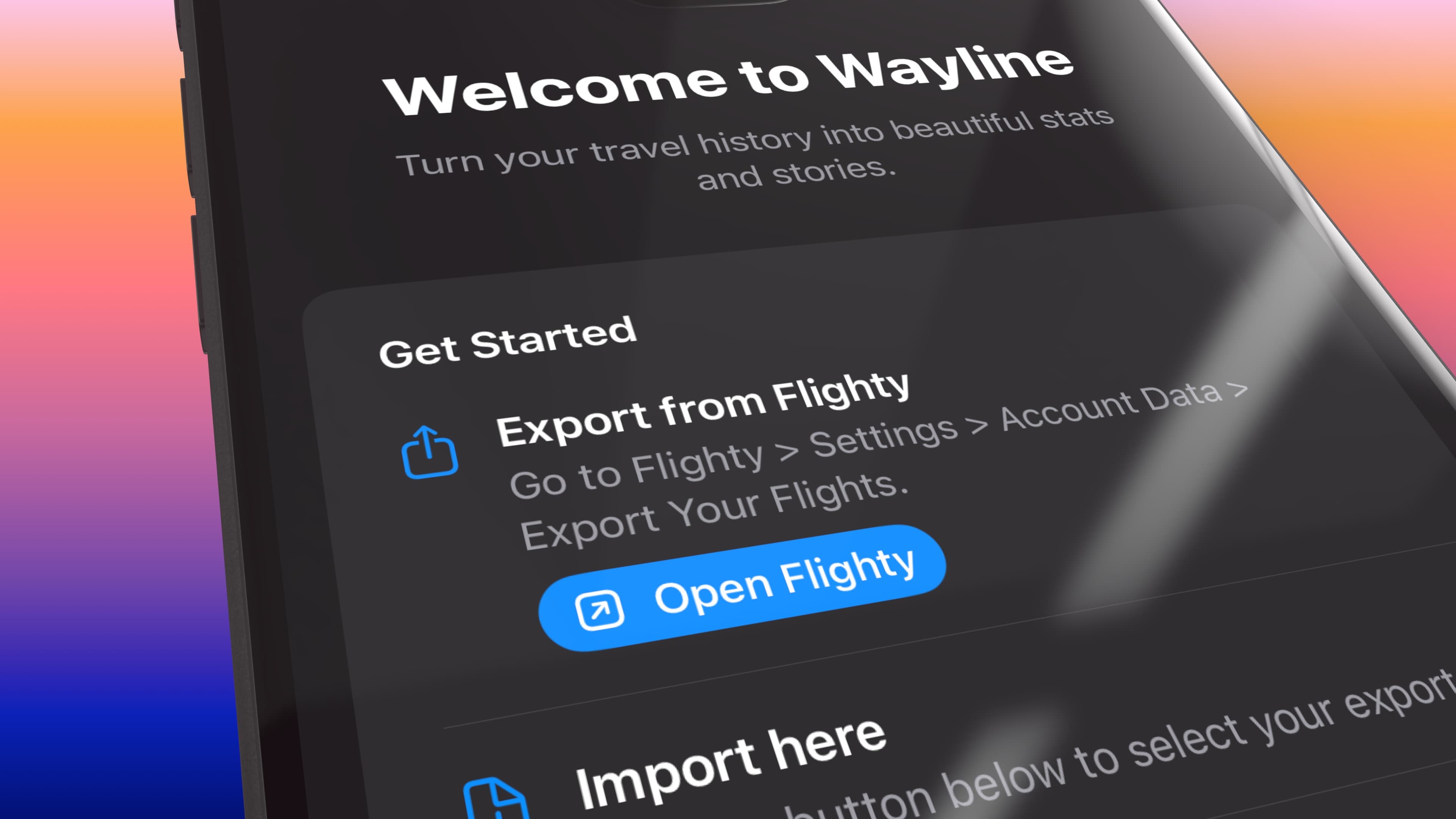
This is the React Native version of my SwiftUI article, in which I showed how to detect in your app, if user has another app installed. In the app that I’m building, I check if user has Flighty installed, and show them a button to open it (so that they can export their data). This is a nice little UX hack, which requires few steps to work correctly.
How it works
iOS lets apps check whether another app is installed by asking the system if it can open a specific URL scheme. However there are two constraints to this:
- You must declare the URL schemes for the apps you want to query, in your app bundle.
- You need to have a legitimate reason for checking if the app is installed, otherwise Apple will reject your app.
The declaration of these URL schemes happens in Info.plist under LSApplicationQueriesSchemes. If you’re using bare React Native, you can just edit the Info.plist. In Expo with CNG, the URLs are configured in app.json. This way new prebuild can write the LSApplicationQueriesSchemes to the Info.plist.
Step 1: Find the app's URL scheme
Most apps expose a custom URL scheme. Flighty uses flighty://, Spotify uses spotify://, etc. You can verify a scheme by typing it into Safari on your device — if it prompts you to open an app, the scheme works.
Step 2: Configure the scheme in app.json
Add the schemes you want to query to your Expo config. This is all you need. When you run npx expo prebuild, Expo generates the Info.plist with LSApplicationQueriesSchemes included.
{
  "expo": {
    "ios": {
      "infoPlist": {
        "LSApplicationQueriesSchemes": ["flighty"]
      }
    }
  }
}
After changing this, rebuild your development client:
npx expo prebuild --clean
npx expo run:ios
Without this declaration, Linking.canOpenURL always returns false on iOS regardless of whether the app is actually installed.
Step 3: Check and open
The following hook will check if an app is installed. It will recheck with every app state changes, supporting cases where user for example goes out of the app to install the other app.
import { useCallback, useEffect, useState } from 'react';
import { AppState, Linking } from 'react-native';

export function useIsAppInstalled(scheme: string) {
  const [installed, setInstalled] = useState(false);

  const refresh = useCallback(() => {
    Linking.canOpenURL(`${scheme}://`)
      .then(setInstalled)
      .catch(() => setInstalled(false));
  }, [scheme]);

  useEffect(() => {
    refresh();
  }, [refresh]);

  useEffect(() => {
    const sub = AppState.addEventListener('change', (state) => {
      if (state === 'active') refresh();
    });
    return () => sub.remove();
  }, [refresh]);

  return installed;
}
You can use the hook to conditionally render a deep link button:
import { Button, Linking } from 'react-native';

function OpenFlightyButton() {
  const isInstalled = useIsAppInstalled('flighty');

  if (!isInstalled) return null;

  return (
    <Button
      title="Open in Flighty"
      onPress={() => Linking.openURL('flighty://')}
    />
  );
}
This renders nothing when Flighty isn't installed and shows a button when it is. When the user comes back from the App Store (or any other app), AppState fires and the hook runs canOpenURL again so the button can appear without restarting yours.
Android
On Android, Linking.canOpenURL works differently. Prior to Android 11, it resolved without restrictions. Starting with Android 11 (API 30), package visibility filtering means you should declare the schemes you want to query in AndroidManifest.xml.
In Expo, you can handle this with a config plugin or by adding the queries directly in app.json:
{
  "expo": {
    "android": {
      "intentFilters": [
        {
          "action": "VIEW",
          "data": [{ "scheme": "flighty" }],
          "category": ["DEFAULT", "BROWSABLE"]
        }
      ]
    }
  }
}
In practice, most URL scheme checks still work on Android without this. The restriction primarily affects PackageManager queries rather than intent resolution. But adding it is good hygiene.
App Review and privacy
Apple cracked down on app detection because ad SDKs were fingerprinting users by checking which apps were installed. Apple is fine with canOpenURL when:
- The integration is user-facing and obvious
- You only query apps you actually integrate with
Mention the integration in your App Review notes. Something like "We check for Flighty to offer a direct export button" is enough. Don't query 50 schemes to build a profile of what your user has installed.
Final thoughts
With Expo and CNG this is a three-step process: add the scheme to app.json, rebuild, and call Linking.canOpenURL. No Xcode, no manual plist editing. The hook pattern above handles it cleanly: the component either renders the deep link button or it doesn't.
Comments
No comments yet. Be the first to share your thoughts.
Leave a comment
Comments are moderated before they appear.