
Developer’s guide to Apple's Subscription Bundles and Suites
Apple now lets you bundle your app subscriptions together, even with other devs' apps. Here's how it works and how to sign up.

Contents
- What are the requirements for Bundles and Suites?
- Understanding the differences between Subscription Bundles and Suites
- Subscription Bundles
- The use case for Subscription Suites
- Applying for Apple’s Bundles and Suites Prerelease program
- Frequently asked questions
- What are the limitations of Bundles and Suites?
- Who are these subscription configurations for? Indie developers or big teams?
- What happens when you unsubscribe from a bundle?
- What happens to a customer that already subscribes to one app in a Bundle?
Earlier this year at WWDC 2026 Apple announced a bunch of subscription tools for developers to better monetize their apps. One of these updates was called Subscription Bundles and Suites, which allows developers to bundle subscriptions together from both their own apps as well as together with other developers. Yes, you can soon sell a subscription in your app that also unlocks stuff in other developers’ apps.
I did some investigation on how all of this works and what you should know about the new subscription options as a mobile developer. Currently Subscription Bundles and Suites require you to request access from Apple, and documentation on both options is quite shallow at this point, so I will be updating this article as I learn more. The feature itself should be available later this year per Apple’s own article on September 16th.
What are the requirements for Bundles and Suites?
Suites and Bundles are supported on all devices running version 27 or later of iOS, iPadOS, macOS or tvOS (and although Apple’s own pages don’t list them, probably also watchOS and visionOS). The apps also need to use StoreKit 2 APIs, and that is also asked in the submission form.
Understanding the differences between Subscription Bundles and Suites
On first glance these two options sound quite similar to each other: bundle up a group of subscriptions. The two options are however very different, and Suites specifically really only works for certain types of apps because of its limitations.
Subscription Bundles
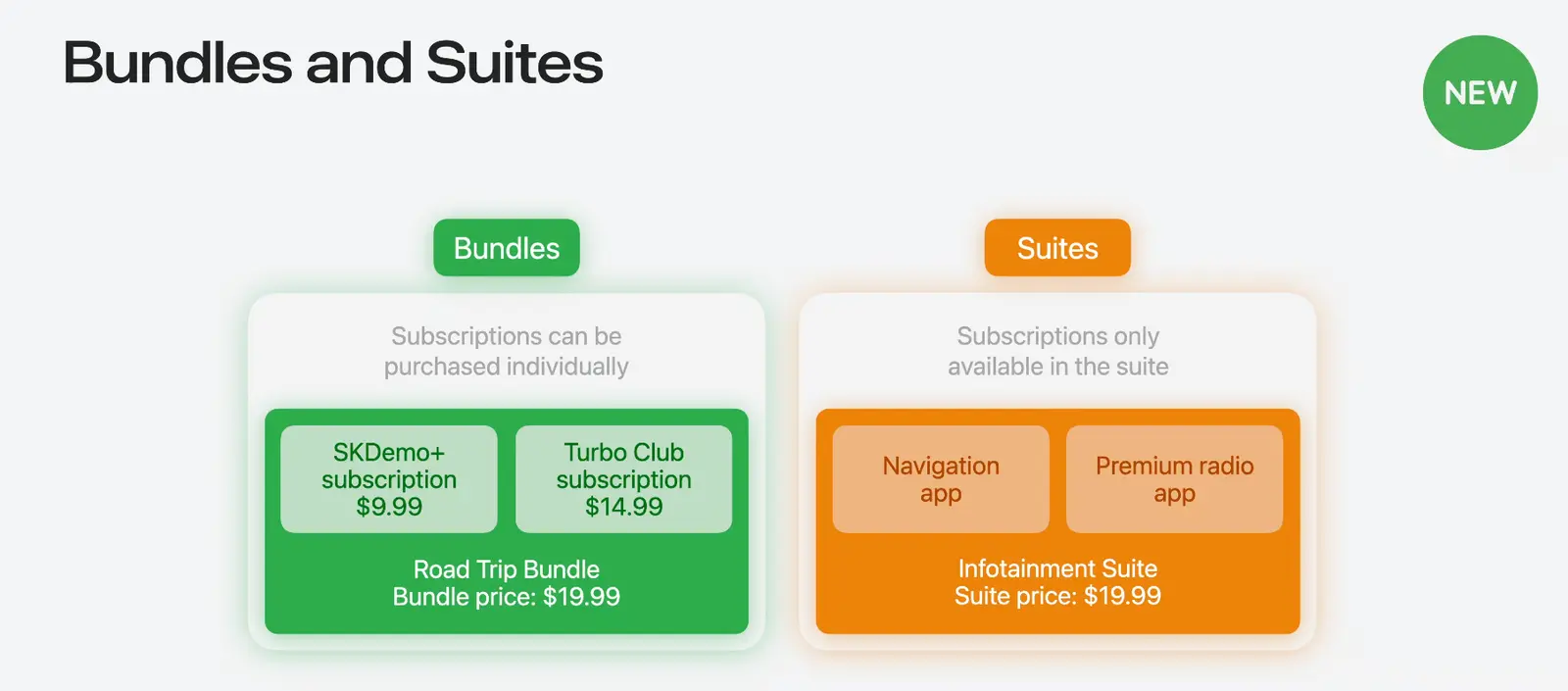
For most cases you probably want to use Subscription bundles, they offer more versatility and probably fit in better with your existing subscription stack. Subscription Bundles allow you to bundle subscriptions into a single package. The subscriptions included in the bundle have to be same length (no mixing yearly and monthly) and subscriptions can include subscription from multiple apps and developers:
- Single app bundles are meant for developers that have a single app with multiple subscription levels. An example use case could be a hiking app, where each continent is its own subscription. You can then offer a bundle that includes multiple continent subscriptions together
- Multi app bundles are useful in cases where you have multiple apps, and want to offer a bundle that unlocks content in all of them. Example use cases could be developers with separate video and audio editing apps allowing users to subscribe to a bundle that unlocks pro editing features in both.
- Multi developer bundles work similar to multi app bundles, but apps can be from different developers.
You should not confuse Subscription bundles with Apple’s app bundles, which allow you to group up to ten of your apps together in a single download. Those also allow you to offer a subscription that unlocks content in all the apps included in the app bundle.
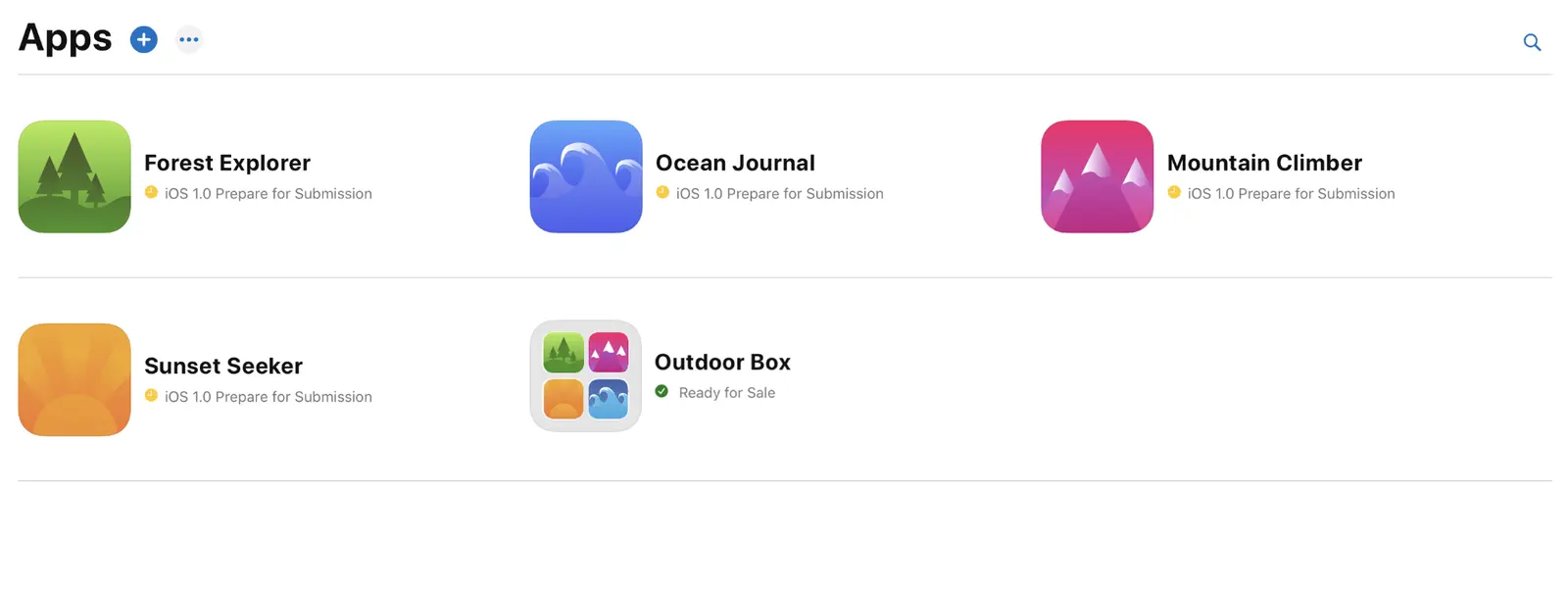
Unlike app bundles, Subscription bundles allow customers to keep parts of the bundle when cancelling, instead of cancelling all the subscriptions included in the bundle. If you’re interested in seeing examples of Subscription Bundles, Apple One is essentially a subscription bundle combining apps and services like iCloud, Music, Apple TV etc.
The use case for Subscription Suites
Subscription suites are kinda weird. They too allow bundling apps together, but the difference to bundles is that suites customers get access to a single subscription that works across multiple apps, instead of subscribing to multiple subscriptions in a bundle.
This probably still sounds weird, but the best example of this is Apple’s own Creator Studio package that has a single subscription that gives access to all the apps included in the suite (e.g. Final Cut Pro, Logic Pro).
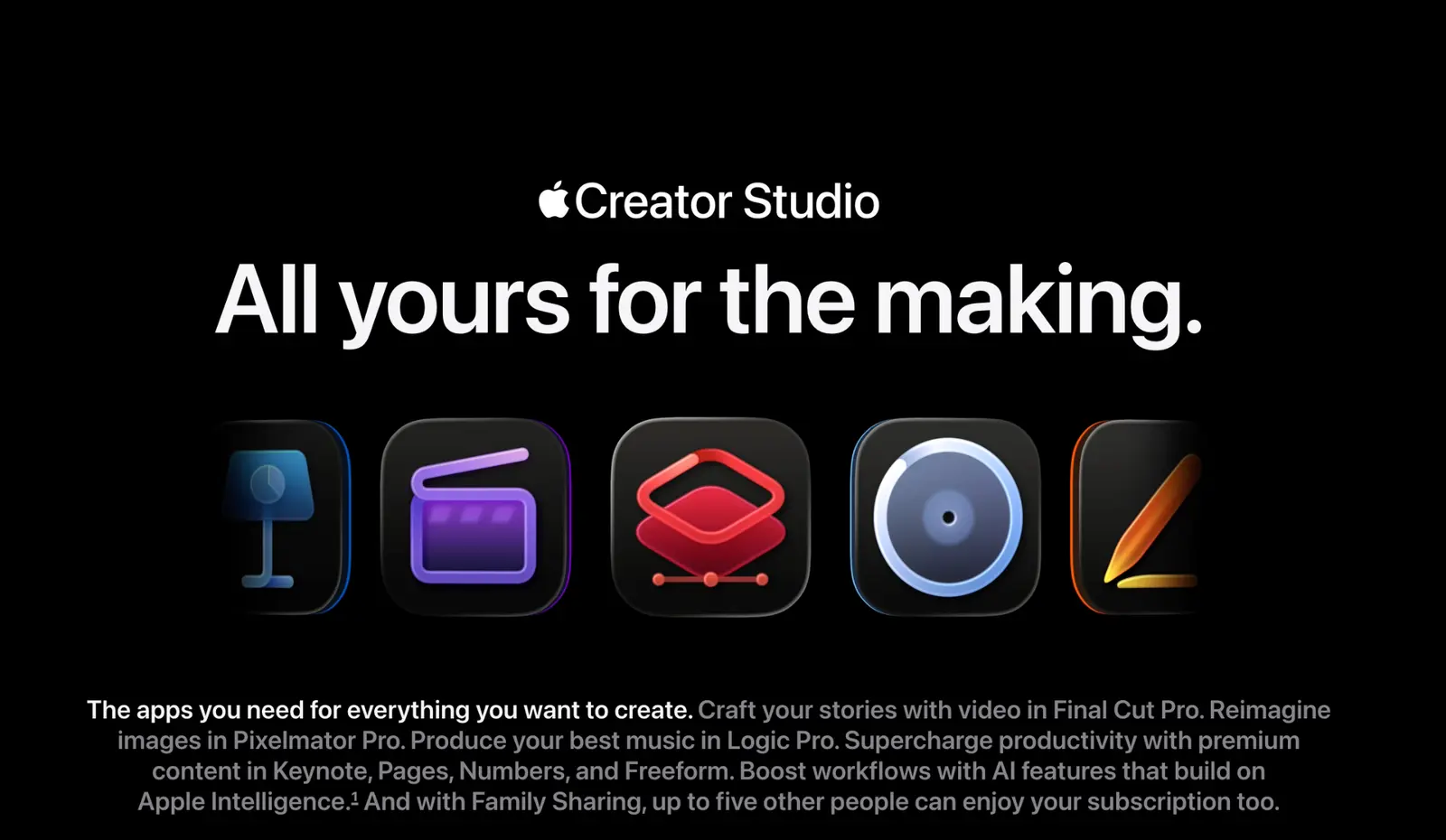
The thing with Creator Studio is that these apps don’t have separate subscriptions. It’s unclear if apps that use the Subscription Suite configuration can offer individual subscriptions at all, but seeing as that would then make bundles and suites overlap, I’m assuming no.
Applying for Apple’s Bundles and Suites Prerelease program
To get access to Bundles and Suites, you need to have an active Apple Developer Program membership. Here’s a direct link to the form.
The form has a few parts. After you input your basic contact information and answer yes to the “Is StoreKit 2 implemented across all apps you intend to include?” question, you’re prompted to provide the Bundles and Suites configuration information:
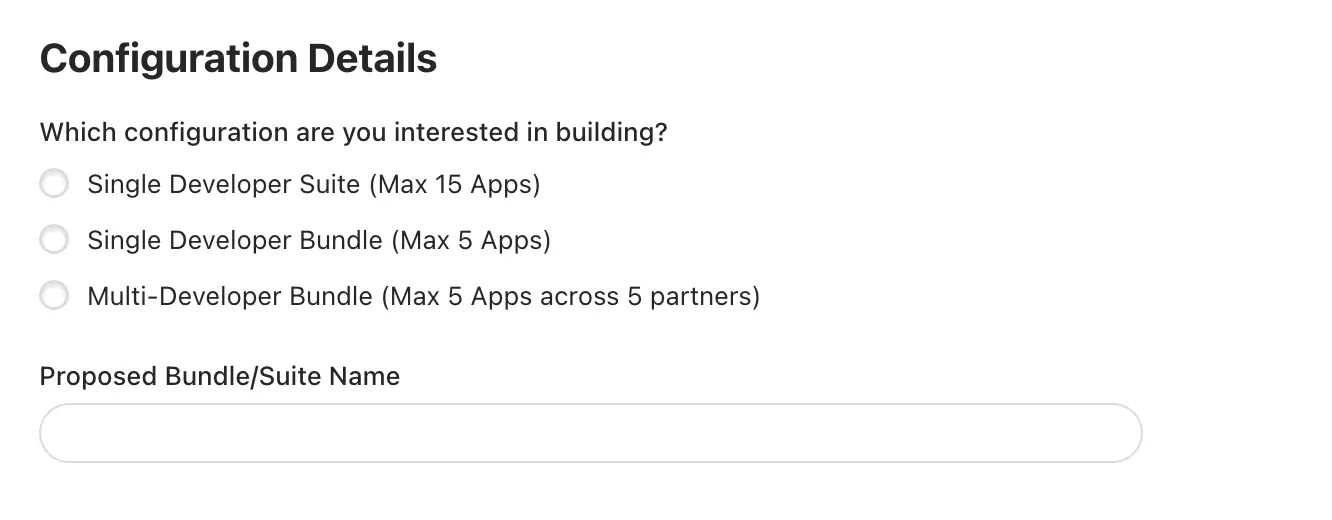
When you select the Single Developer Suite option, a new input field appears that will ask you to list all the App Apple IDs you intend to include in the suite configuration. Single developer Bundle prompts the same question:
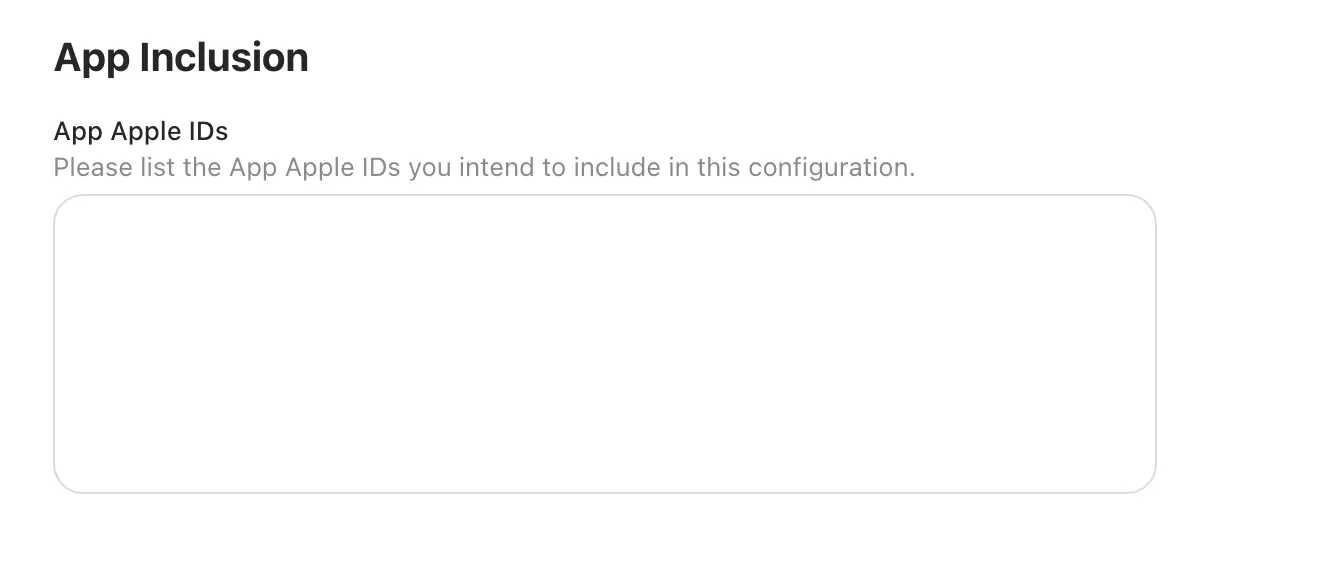
With Multi-Developer Bundle you get an additional question of whether you are the Primary or Secondary developer. You should choose the first option if you’re going to be the Seller of Record and primary point of contact for Apple. The other option is to be a secondary developer, which sounds pretty self explanatory: your subscriptions get bundled in the subscription and that’s it. After that you need to list all the App Apple IDs, both yours and the other developers.
After that you should be able to submit your application. Apple itself says that after the Apple Bundles team confirms your eligibility, they will send all the participating developers terms to sign and handle the onboarding. There’s no information on how long this will take
Frequently asked questions
What are the limitations of Bundles and Suites?
A Subscription Bundle can include up to 5 different subscriptions in single-app, multi-app, and multi-developer configurations. Meaning you can’t build your own version of Apple Arcade for example (unfortunately). A suite can include a subscription across up to 15 apps.
Subscription bundles also need to be priced lower than when purchasing each subscription individually.
Who are these subscription configurations for? Indie developers or big teams?
I would say both. Single-developer bundles enable doing more customer-friendly subscription options, and multi-developer bundles allow for some great cross-promotion in indie apps (and larger businesses as well.) Subscription suites at this point sound like they are targeting larger companies who already have a large collection of connected apps.
What happens when you unsubscribe from a bundle?
When unsubscribing, customers have an option to keep one or more individual subscriptions in the bundle or cancel the whole thing. Cancellations and changes will take effect at the next renewal date of the original Bundle.
With Subscription Suites there does not seem to be an option for downgrading to individual subscriptions, as the original subscriptions is already just a single subscription.
What happens to a customer that already subscribes to one app in a Bundle?
According to Apple’s page, customers that purchase a Bundle that includes a subscription they already have get automatically upgraded, and get access to all the subscriptions it includes. They will also get a prorated refund for the individual subscriptions remaining period.
Planning on using Subscription Bundles and Suites? Let me know in the comments.

Comments
No comments yet. Be the first to share your thoughts.
Leave a comment
Comments are moderated before they appear.